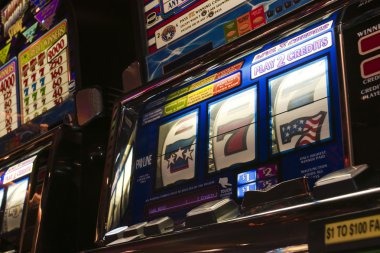

zaraplay background
Indonesia · zaraplay

zaraplay | Indonesia Online Casino with one clear account path

zaraplay brings Live Baccarat, rocketslot, Fishing God and football markets into one lobby, with DANA and QRIS beside the cashier path.

DANAOVOGoPayQRIS
21+ SSL

Access is available only where local law permits.

CASINO AND SLOTS

Find your casino room from Home

Casino and slots sit in clear lobby groups, letting you search by category before opening a title.

zaraplay lobby snapshot
INSIDE OUR LOBBY

Casino nights inside zaraplay

Move from slot rooms and live dealer tables to fishing games and sportsbook markets without leaving the main lobby.

SlotsLive CasinoTable GamesFishingSportsbook
STUDIOS WE CARRY

Studios available through zaraplay Home

Pragmatic Play, PG Soft and Habanero anchor the studio strip, with additional titles from CQ9, Spadegaming and JDB available through our casino lobby.

Pragmatic Play
PG Soft
Habanero
CQ9
Spadegaming
JDB

DANA and QRIS beside your cashier

Indonesian wallet choices appear inside the cashier after account access. Select DANA, OVO, GoPay or QRIS, enter the requested amount and follow the on-screen confirmation route…

DANA

OVO

GoPay

QRIS

Virtual account

Bank transfer

BCA

BRI

Mandiri

BNI

PAGES WORTH OPENING

Home links for games, wallets and account status

Our durable pages answer the questions that arise after you land on Home. Open the casino area for table context, the sportsbook for market types, the cashier for transaction status, the account…

zaraplay Live table area
CASINO

Live table area

See Live Baccarat beside roulette, Dragon Tiger and blackjack context.

zaraplay Sports market area
SPORTS

Sports market area

Open football, badminton and basketball from the sportsbook route.

zaraplay Transaction status
CASHIER

Transaction status

The cashier displays the selected rail, submitted amount and current transaction state.

zaraplay Verification details
ACCOUNT

Verification details

Your account area records whether the requested phone check is complete.

Your first steps before opening Live Baccarat

A clear first visit starts with the account button, requested personal details and phone verification.

Create your account

Open the account form from Home, enter the requested details and complete the phone check. We show each stage in sequence, helping you avoid switching between separate casino and sportsbook registrations.

Check account details

Confirm that your phone number and requested profile fields are accurate before entering the cashier. These details support later account checks and help our team match a submitted receipt with the correct wallet.

See what is available

The main navigation separates casino, slots, live tables and sports markets. You can locate Fishing God, bingo4s, football, badminton and basketball from one account without opening a separate product profile.

Protect your access

Use a private password, keep verification codes to yourself and close the session on a shared device. If an access attempt looks unfamiliar, contact our help path before reopening the cashier.

HELP FROM HOME

Account help beside the cashier path

When a login, wallet status or receipt check stalls, start with the help control connected to Home. Live chat suits an active issue, email supports attachments, and the mobile menu keeps both routes reachable on a smaller screen. Current service hours appear beside the active contact option, so you can see whether to wait for chat or send the details by email.

Team online

Live chat

Open chat from the help control when account access or wallet status is unclear. Include the transaction time and selected rail, but never place your password or phone verification code in the conversation.

Email help

Use the email link displayed in our help area when a receipt or screen image is required. Send it from the address connected to your account and include the relevant transaction reference.

Mobile help

The phone menu keeps help close to the cashier and lobby. If a game view fills the screen, return through the menu before starting chat so your account context remains easy to identify.

PHONE TO LOBBY

QRIS access from one mobile route

A phone browser keeps Home, the lobby and cashier on one route without requiring a separate mobile application.

zaraplay mobile gaming
Phone browser
Tablet layout
One account menu
QRIS scan route
Slot search
Live table view
SAFER ACCOUNT USE

Phone checks and private access controls

Account protection begins before the lobby opens. We use a clear phone verification stage, keep transaction status inside the signed account and provide a direct help path when…

Phone verification The requested phone check takes place before full account access.
Session care Close your session after using a shared phone, tablet or…
Account monitoring Check the cashier record and account activity when something looks…
Displayed game rules Open the rules attached to the selected slot, table or…
DETAILS YOU CAN CHECK

Clear account facts across our Home

Useful account decisions depend on visible facts, not broad claims. We place category labels, transaction states, account checks, contact controls and policy links where you can inspect them.

Readable category structure

Casino, slots, live tables and sports use distinct navigation labels. Each route returns to Home without forcing a second account flow, making it easier to confirm where you are before acting.

Visible transaction records

Your cashier record shows the selected rail and current status for submitted activity. If a status stalls, share the matching receipt through the help control rather than submitting repeated transactions.

Contact controls

Live chat, email and mobile help are presented within our help area. The active control shows its current service hours, while email is useful when a receipt or screen image is needed.

Policy access

Policy links remain available from the page footer and account area. Read the applicable account, privacy and transaction terms before submitting details, because eligibility depends on local law.

One account instead of scattered game searches

A connected Home reduces the uncertainty of finding games, wallet instructions and help through unrelated pages or offline recommendations.

Known lobby route
Return to Home through your usual saved address and choose the category there. Scattered links may hide where a game or cashier page came from, making account checks harder.
One verified account
Casino, live tables and sports markets share the same verified account path. Separate pages found elsewhere may ask for repeated details without connecting them to your existing transaction history.
Visible wallet state
The cashier records DANA, OVO, GoPay, QRIS and bank activity under your account. An outside message cannot replace the transaction state displayed inside that authenticated cashier record.
Consistent game labels
Our lobby names Live Baccarat, rocketslot, bingo4s and Fishing God directly. This helps you distinguish an actual lobby card from vague recommendations that provide no category or rule context.
Connected help route
Help controls sit beside the account and cashier paths. Advice from an unrelated contact may lack your transaction context and should never receive passwords, verification codes or sensitive account details.
Policy links nearby
Account and transaction terms remain linked from the footer and account area. Offline suggestions rarely carry the applicable conditions, eligibility wording or current service details attached to your Home experience.
CATEGORY FACTS

Game details before you enter a room

Different categories present different facts, so Home points you toward the relevant game panel rather than implying one result profile for everything.

01

Slots

Check the title panel for its displayed return data, feature rules and stake range before opening a round.

02

Live tables

Live Baccarat and other dealer tables display table rules, available seats and stake context within the room.

03

Fishing games

Fishing God uses its own controls and round rules, which should be checked before selecting a stake.

04

Sports markets

Football, badminton and basketball selections show odds and market conditions in the sportsbook before submission.

05

Bingo rooms

Open bingo4s from its lobby card and read the room-specific round details before taking part.

HOME AT A GLANCE

Four routes through our Indonesia lobby

4
Main lobby routes
6
Named lobby titles
4
Local wallet options
1
Account across casino and sports
INDONESIA ACCESS AREA

Home access across supported Indonesia regions

Our web-based Home can be reached from supported regions across Indonesia, including Surabaya, through a current phone, tablet or computer browser. Availability depends on local law, and you are responsible for checking whether access is permitted where you are located. We do not present a physical venue map; instead, the service-area panel points you back to account access, lobby categories, cashier routes and help links available through the site.

Semarang, Indonesia

Six details that define zaraplay Home

The clearest reasons to keep Home within reach are visible in the interface itself.

Named casino rooms

Live Baccarat, rocketslot, bingo4s and Fishing God appear under recognisable category labels. You can inspect the relevant lobby card and return to Home without searching through unrelated external pages.

Single account sequence

The account form leads into phone verification before full access. Once completed, the same account connects casino categories, sports markets, wallet status and transaction records through one main menu.

Indonesia wallet choices

DANA, OVO, GoPay and QRIS appear as named cashier choices. Bank transfer and virtual account paths add BCA, BRI, Mandiri and BNI context where the displayed route supports it.

Mobile slot search

Phone filters narrow the slot lobby without forcing you through every card. Open a result in its game view, then use the menu to return to Home or check wallet status.

Transaction tracking

Submitted cashier activity receives an account status that you can check before trying again. Keep the matching wallet or bank receipt available when a transaction needs attention from our help team.

Reachable help controls

Live chat, email and mobile help stay linked from the main site routes. The contact area shows current service hours and lets you choose the path suited to your login or receipt issue.

FAQ

These answers cover the practical questions people search before using zaraplay Home: what appears in the lobby, how phone verification works, which Indonesia payment rails are shown, how mobile access behaves and where account help starts. Check the displayed account and game conditions whenever your chosen category or transaction status changes.

zaraplay Home connects casino slots, Live Baccarat, fishing games and a sportsbook with football, badminton and basketball. It also links your account area, DANA and QRIS cashier routes, transaction status, policy pages and help controls.

Choose the account control, enter the requested details and complete the phone verification step before full access. After verification, one account connects the casino lobby, sportsbook, cashier history and support routes without a second registration.

The cashier lists DANA, OVO, GoPay and QRIS, plus bank transfer and virtual account routes. BCA, BRI, Mandiri and BNI context may appear with the relevant route; always follow the status displayed inside your account.

Yes, the web layout works through a current phone browser without requiring a separate mobile application. The menu connects account access, slot search, live tables, QRIS steps, wallet status and help from one mobile path.

Open the cashier and locate the submitted request in your account history. We check the requested account details before release, while receiving time varies by wallet or bank. Keep the matching receipt and contact help if the status stalls.

Open the help control for live chat, use the displayed email link when you need to attach a receipt, or reach mobile help through the menu. Current service hours appear beside the available contact option.

Web access is intended for supported Indonesia regions, but availability depends on local law. Check the rules that apply where you are located before creating an account, opening a game or using a sportsbook market.
FIND YOUR NEXT STEP

Navigate from Home without losing account context

Start with the main category row when you want a game, or open the account menu when your question concerns verification, transaction history or contact details.

Choose a lobby area

Use Casino for slots and table rooms, or Sportsbook for football, badminton and basketball.

Open your account area

Check phone verification, requested profile details and account activity from the account menu.

Use the cashier record

Select a supported rail and follow its displayed steps. After submission, treat the status inside your account as the primary…

Return through Home

Leave a full-screen game through its menu and return to Home before changing categories.